


Twitter (X) Login Tutorial
1. Mobile App Login (compatible with both iOS and Android)
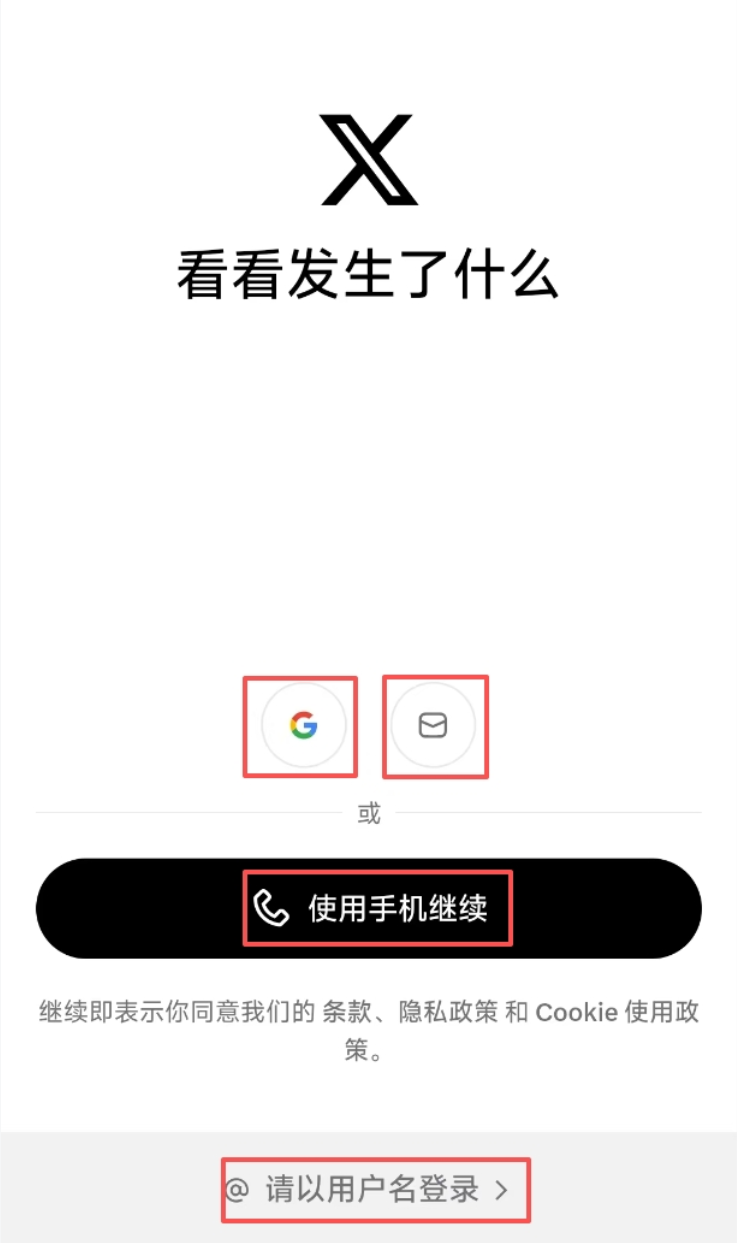
Open the X App and select your login method:
(1) Google Login: You’ll be redirected to the Google authorization page—confirm authorization to log in with one tap.
(2) Email Login: Enter your email address, input the verification code, and complete the login process.
(3) Phone Login: Enter your mobile number, input the verification code, and finish logging in.
(4) Username Login: Enter your account username and corresponding password; once logged in, you can use your account as usual.
(For accounts with two-factor authentication enabled, you’ll need to enter an additional verification code.)
2. Desktop Web Login (access via browser at x.com)
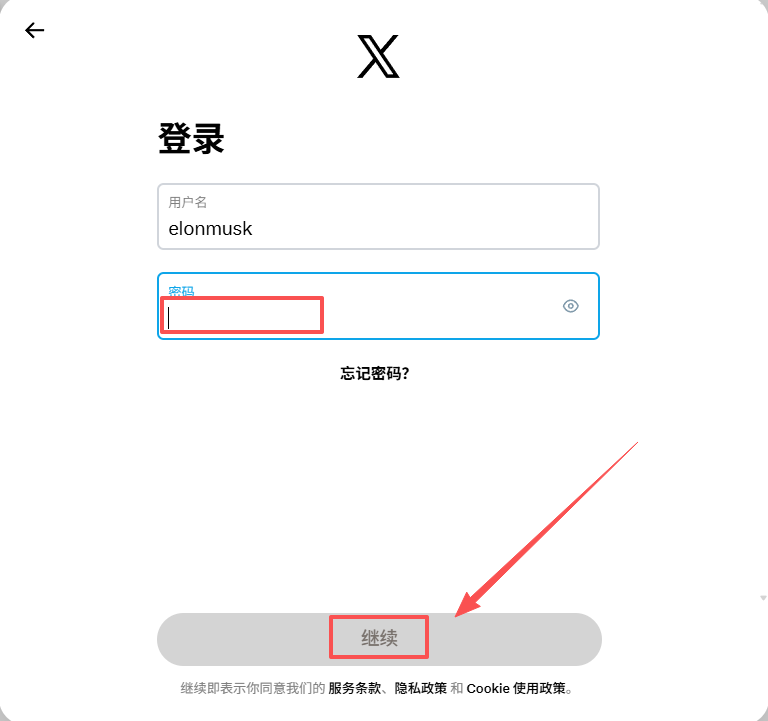
(1) Open the official website x.com in your browser, enter your username/email, and click Continue

(2) Enter your password and click Continue
(For accounts with two-factor authentication enabled, you’ll need to enter an additional verification code.)
3、Twitter (X) Login Notes
(1) Logging in from a new device or location will likely trigger human-machine verification or email verification.
(2) Registration using mainland China phone numbers or receiving verification codes is not supported; we recommend registering with an overseas email address instead.
(3) Avoid frequently changing IPs or switching between accounts, as this may result in account restrictions.
(4) After completing web login, the left-hand menu displays your feed; click on your profile picture to access your personal homepage.