


TikTok Login Tutorial
A TikTok username is the unique identifier for each account, typically starting with @, for example: @tiktok888

If your account supports login with a username, you can directly log in using your username and password without entering a phone number or email address.
Login process:
(1)Open the official TikTok website
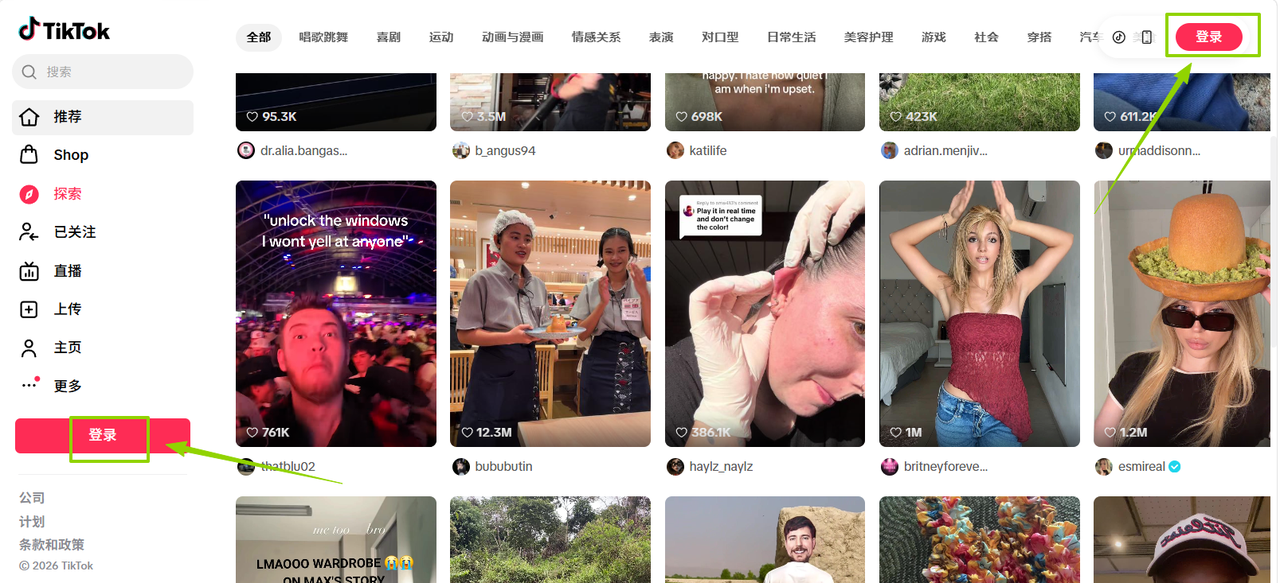
Use a computer browser to open the official TikTok website, then click Login in the sidebar or at the top right of the page.
(2)Choose your login method
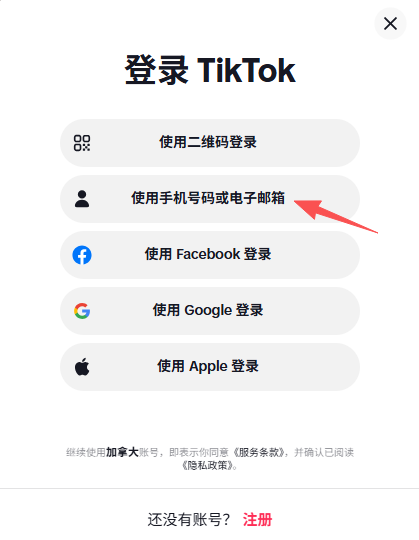
On the login page, select Use phone / email / username.
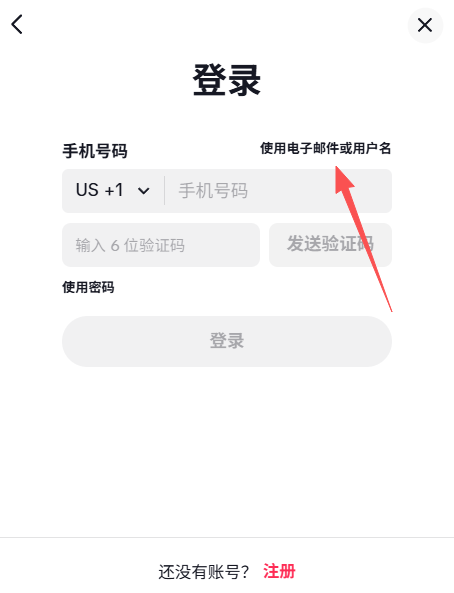
After entering the login screen, tap “Use email or username”.
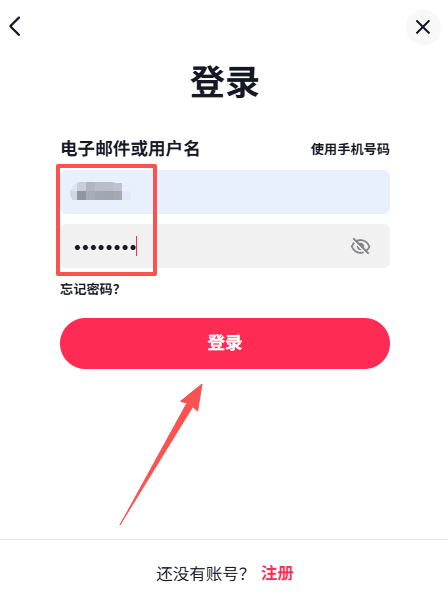
Username (no need to enter the @ symbol—fill it in as prompted on the page)
After confirming that all information is correct, click Login.
If your account has email-based security verification enabled, follow the on-screen prompts to complete the CAPTCHA verification, and you will successfully log in.