

Order after-sales processing
1、The order requires a refund
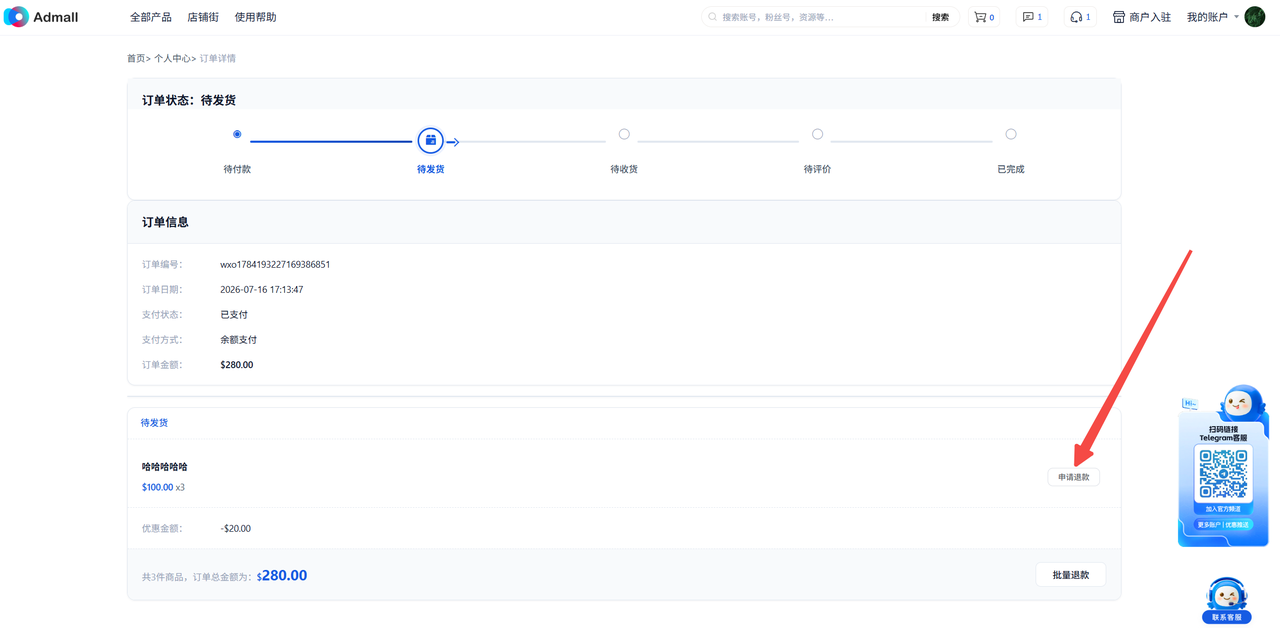
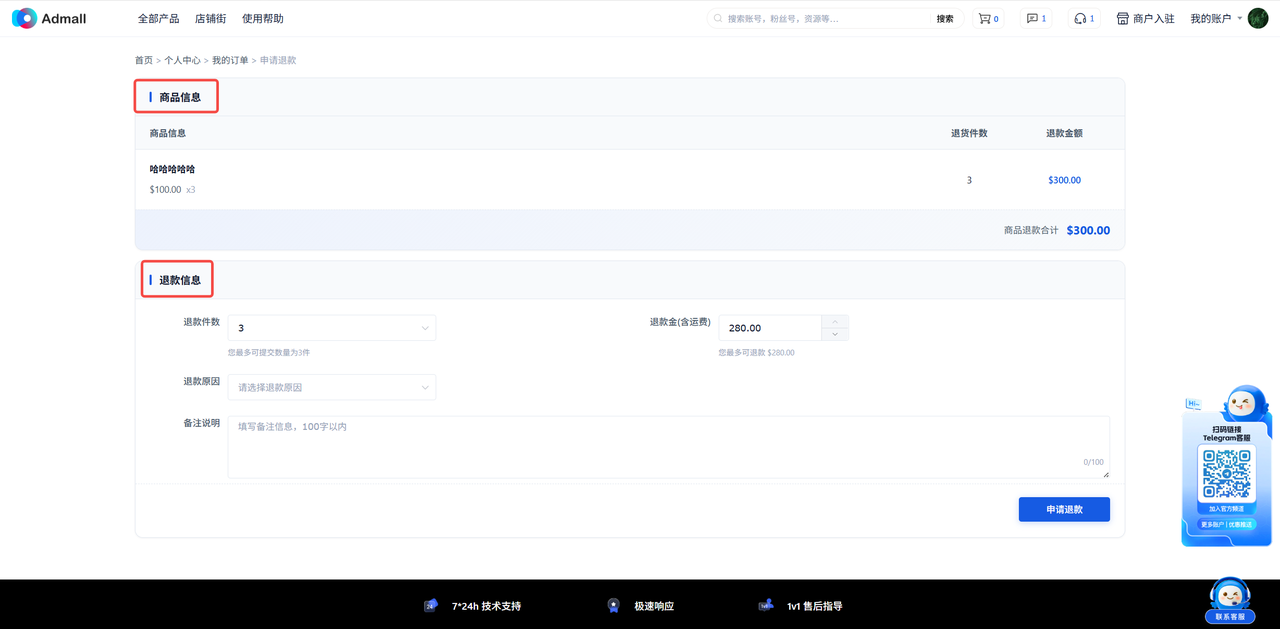
Click “Apply for Refund” in the bottom-right corner. After being redirected to the next page, confirm the product information—refund details—fill in the reason for the refund—then click “Apply for Refund”
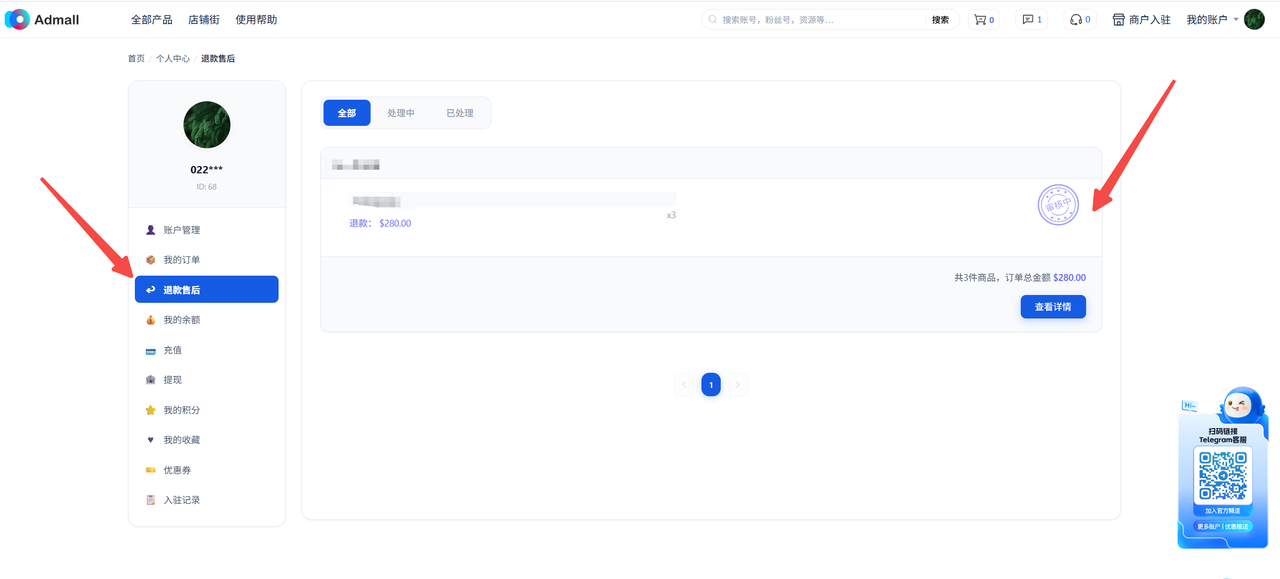
2、You can check the refund status under “Refunds & After-sales”; once approved, the refund will be processed successfully
3、For after-sales issues other than refunds
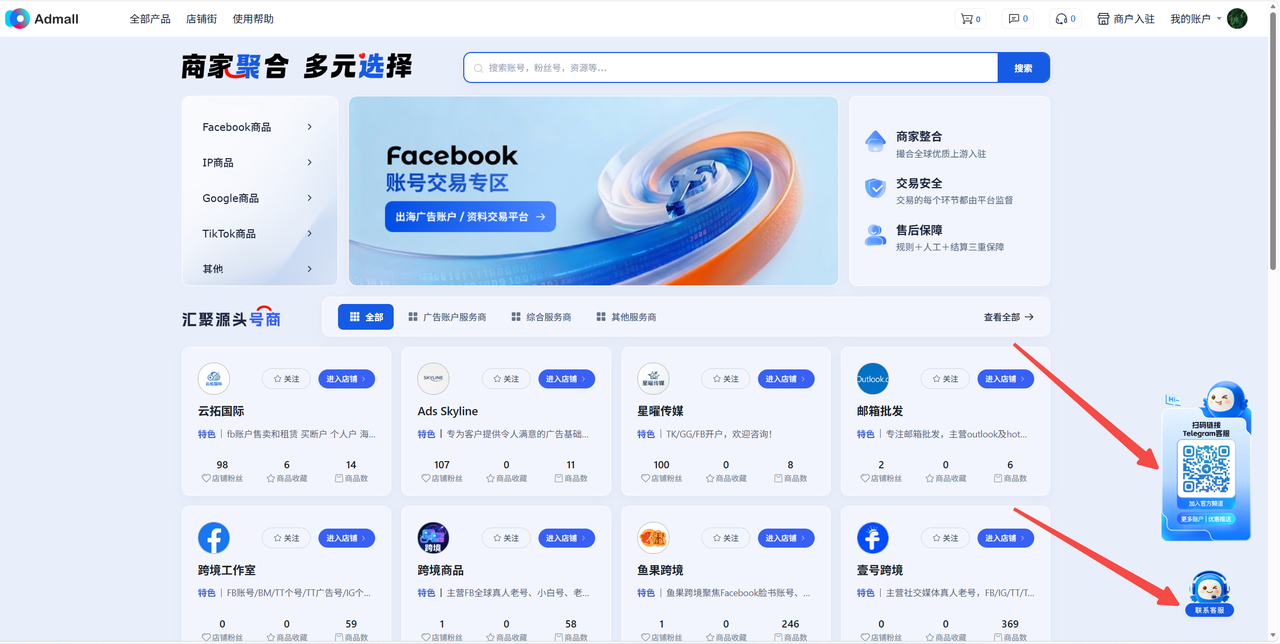
On the homepage, click “Contact Customer Service” in the bottom-right corner or scan the QR code to reach Telegram customer service—provide your order number—and describe the specific after-sales issue.