

Order Inquiry
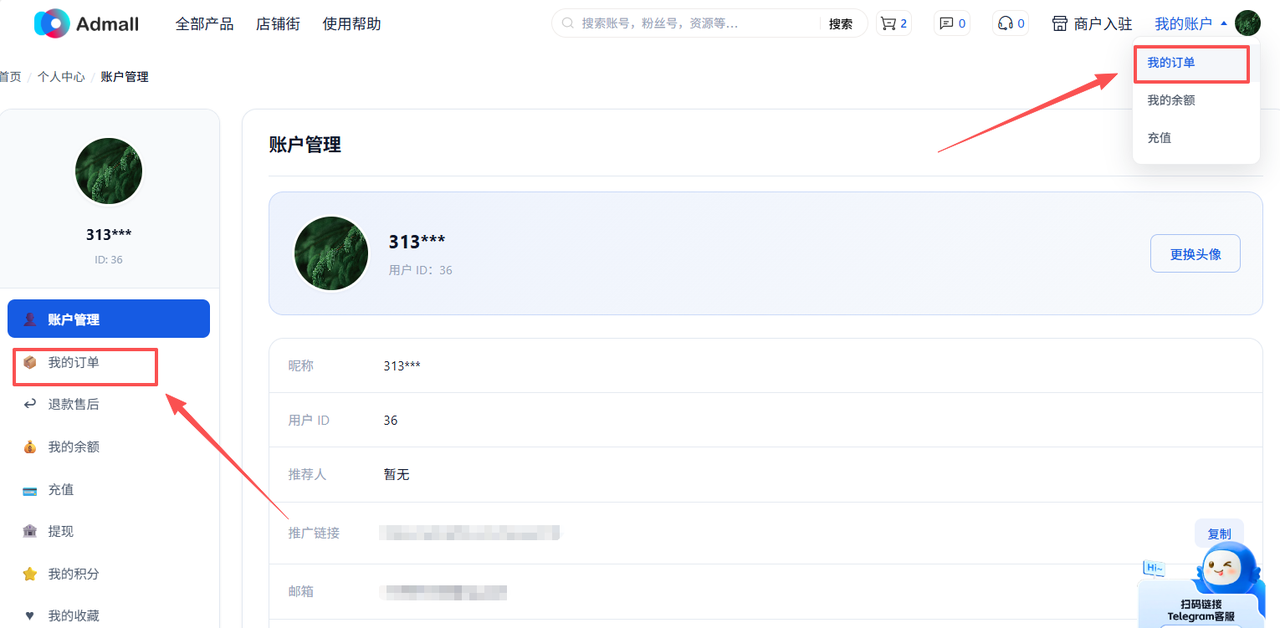
1. Tap to enter “My Orders”
On the homepage, click your avatar or “My Account” in the upper-right corner, then select “My Orders” from the drop-down menu or sidebar.
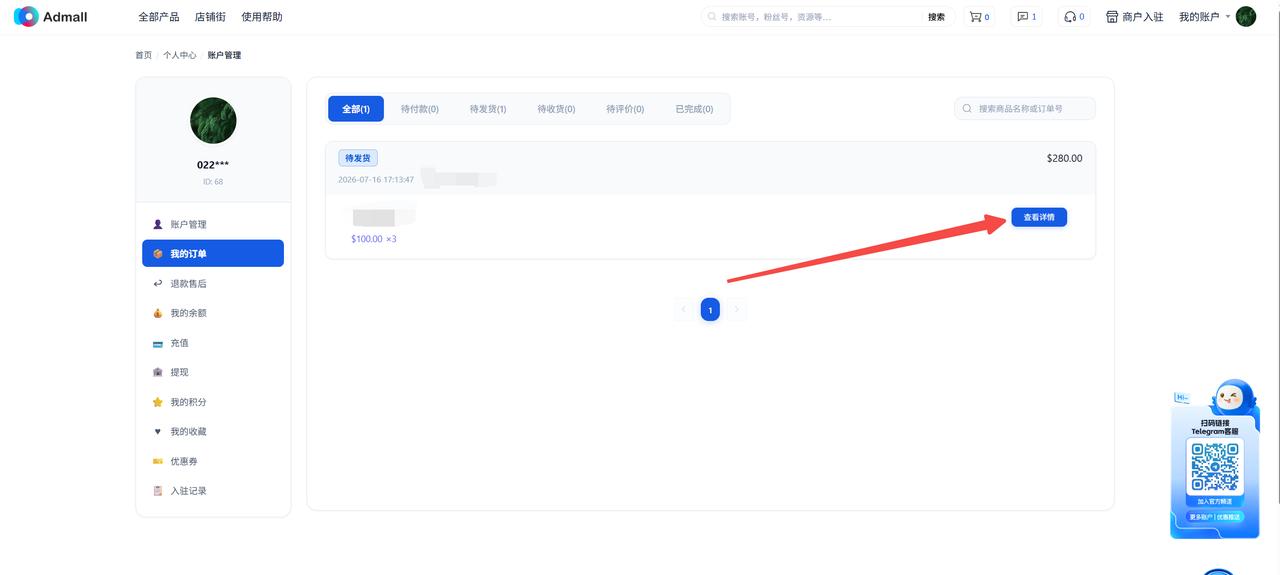
2. Tap “View Details” in the bottom-right corner of the order
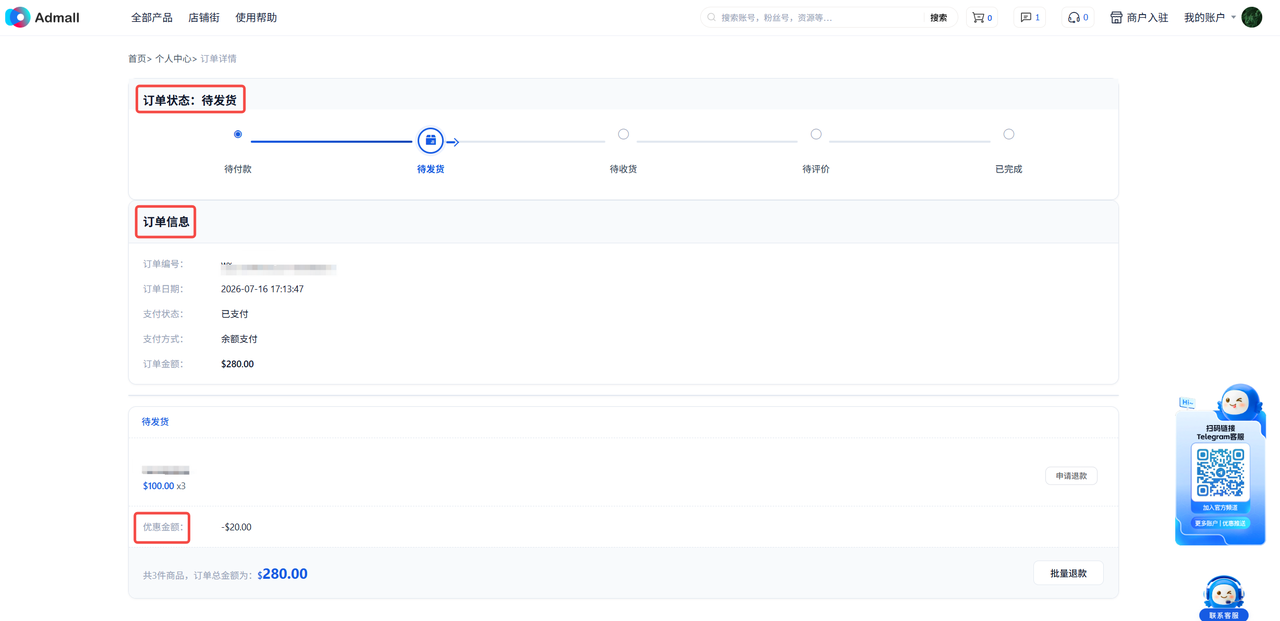
You can view information such as “Order Details,” “Order Number,” and “Order Amount.”