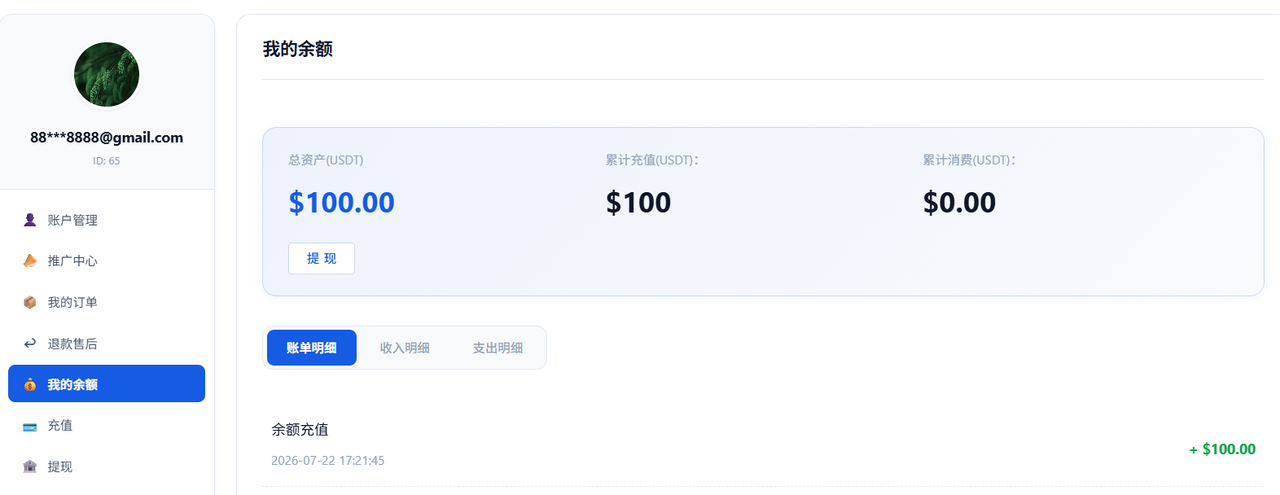


Top up balance
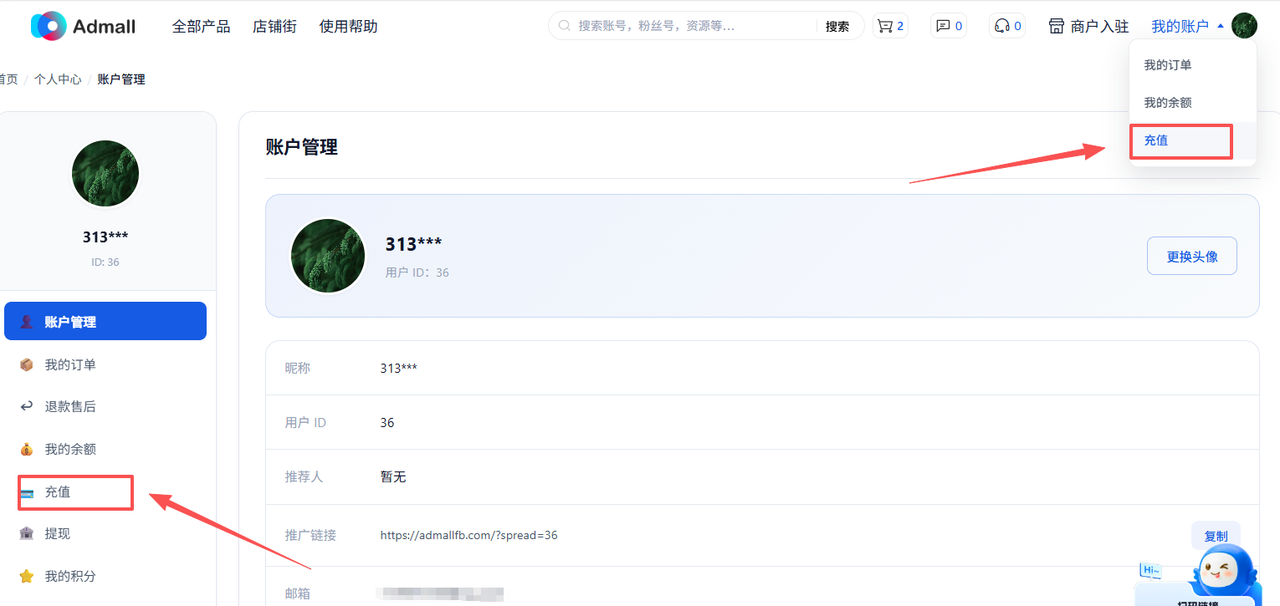
1. Click to enter “Recharge”
On the website’s homepage, click your avatar or “My Account” in the upper-right corner, then select “Recharge” from the drop-down menu or sidebar.
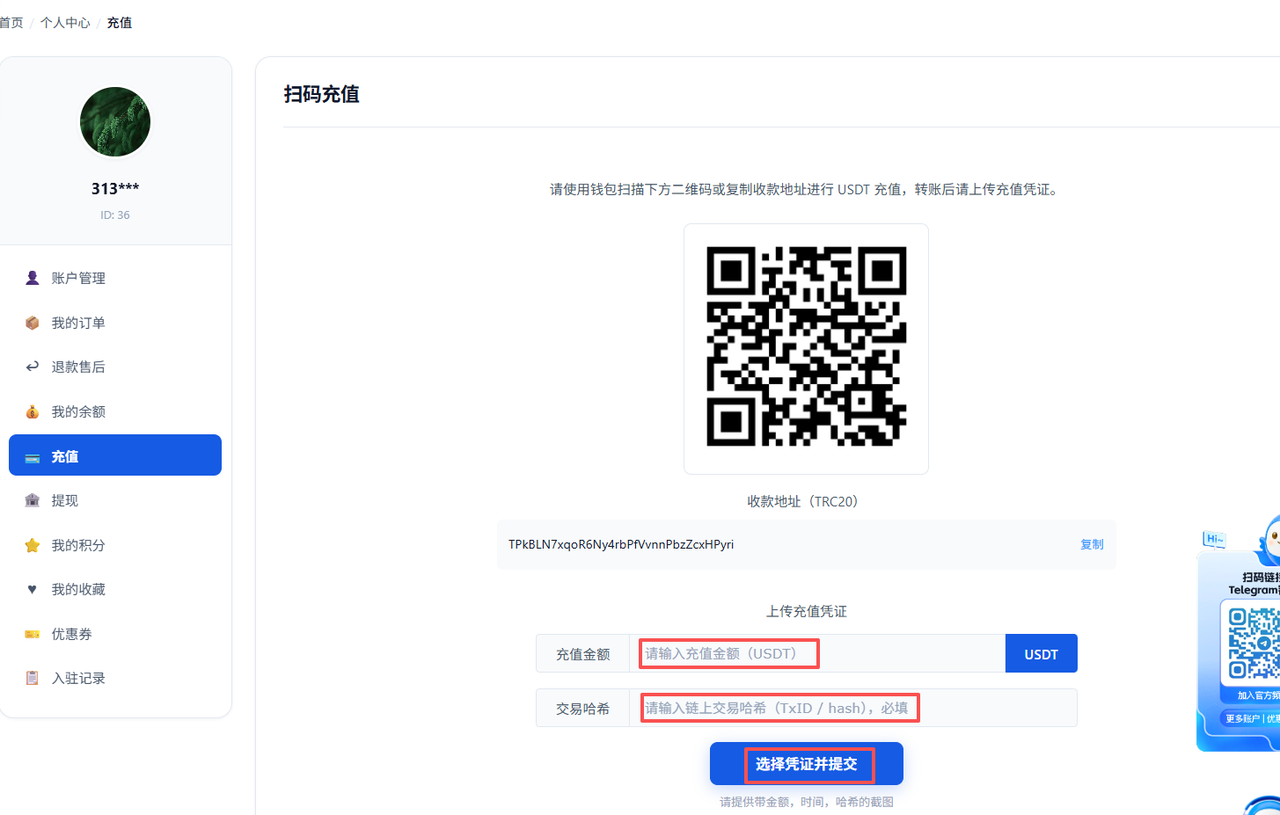
2. On the recharge page, enter the amount, transaction hash, and proof of payment
First, take a screenshot of your transaction proof on your mobile device or web browser and save it (provide a screenshot showing the amount, time, and hash).
3. After the platform approves your request, you can view it in “My Balance”