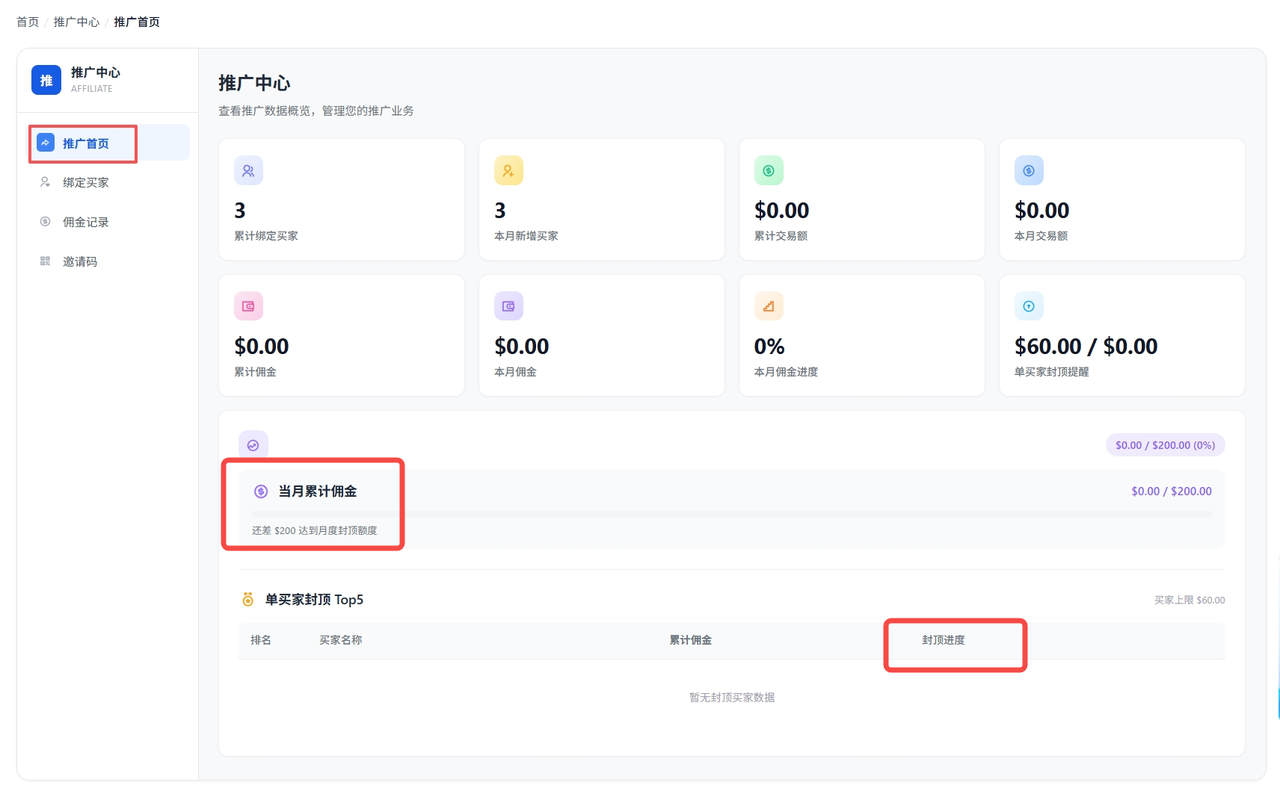


Promotion Center Data Query
1. Log in to your affiliate account
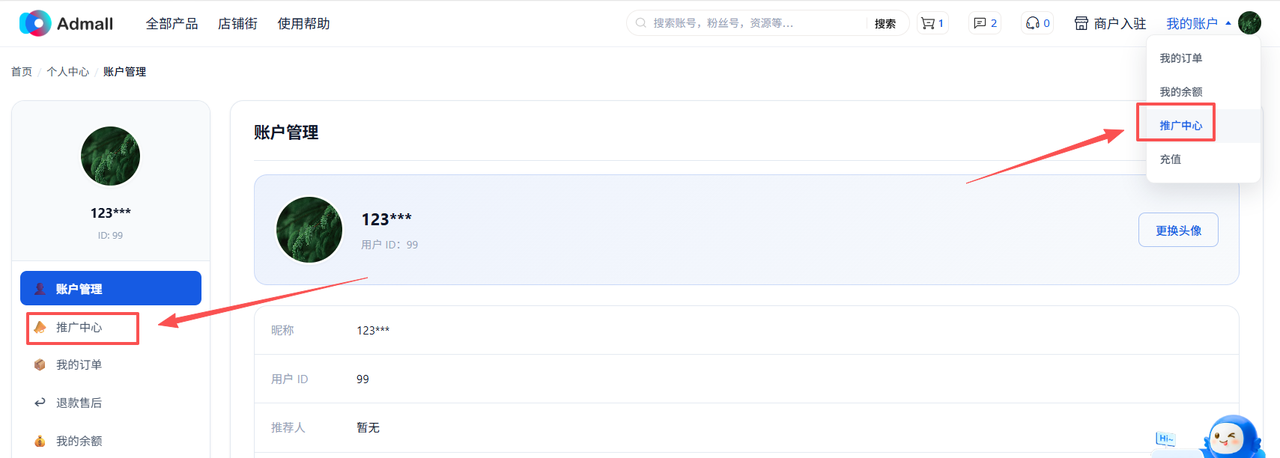
2. Click “Promotion Center”
On the homepage, click your avatar or Personal Center in the upper-right corner, then select “Promotion Center” from the drop-down menu or sidebar.
3. Go to the Promotion Center homepage to view your promotion data
- When the monthly commission progress bar reaches 100%, it turns red, indicating “The monthly cap has been reached; no further commissions will be generated for new orders this month.”
- The cap resets at 0:00 on the 1st of each month, and accumulation restarts for the new month.